
Deno Turns Your Next.js App Into a Desktop App. Here's the Catch.
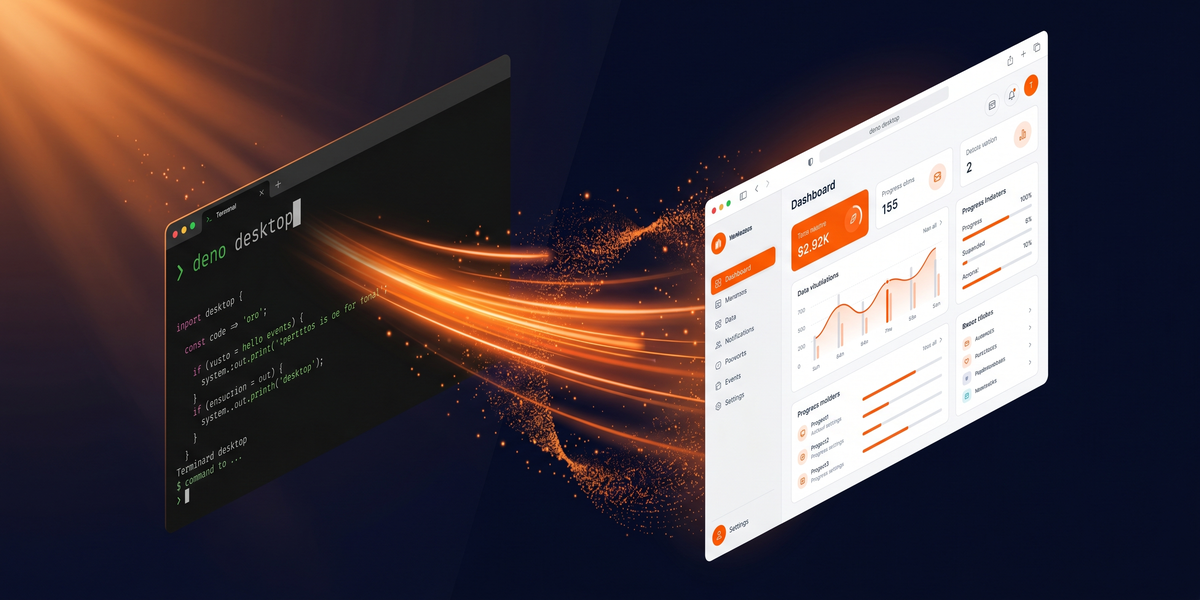
`deno upgrade canary`. `cd` to your Next.js project. `deno desktop .`. Done. Native macOS, Windows, Linux binary. No adapter. No rewrite.
No bloat tax eating your user's disk.
That's the pitch anyway.
Been digging into it since it hit Hacker News with a lot of engagement.
Here's what actually happens under the hood. And whether it's worth your time if you're a solo operator tired of paying for hosting on things that don't need to be online.
How it actually works
The canary build landed recently.
Stable's targeting a future Deno version. Docs warn everything. The command, config keys, TypeScript APIs. Might change before stable ships. So yeah, experimental.
Here's the mechanism: compiled binary fires up a local HTTP server using your `Deno.serve()` handler, then opens a native desktop window pointing at that server. Your app thinks it's serving HTTP. It isn't. The window's just a wrapper around itself.
The interesting part is the binding model. Electron runs renderer + main process, communicates over socket-based IPC. Every UI-to-backend call crosses a process boundary, round trip. Deno Desktop keeps everything in one process. No boundary crossings.
For CPU-intensive desktop work, that structural difference matters.
Why npm compatibility matters more than Tauri users will admit
Tauri wins on binary size. Deno Desktop wins on something more practical for most web devs: full npm compatibility in your backend, including native modules.
Tauri locks you into Rust for the backend.
Most web devs don't know Rust.
You can paper over it with templates. But when something breaks at the Tauri binding layer? You're debugging FFI code at 11 PM. That's not hypothetical. It's the most common complaint in the HN threads I've been tracking since Tauri 1.0.
Deno Desktop? Backend logic in TypeScript, full npm library access. REST API calls, CSV processing, local database. Same language as your frontend. The workflow you already have muscle memory for.
Cross-compilation's built in.
Mac binary from a Linux box. Windows binary from a Mac. Deno Desktop pulls backends as needed instead of building locally. For a one-person shop, this eliminates a workflow headache that's plagued desktop development for a long time.
Auto-update's included too.
Host a `latest.json` manifest + bsdiff patches on your server. Runtime polls, applies, rolls back if launch fails. If you've been shipping "update coming soon" releases and hoping users actually download them. This changes your maintenance cadence.
The hosting bill angle nobody's calculating
Here's where my brain keeps going.
Small agencies. Indie devs. You're paying real money for cloud hosting on internal tools that don't need to be online. Project management board. Inventory tracker. Client intake form. Internal analytics dashboard. These don't live on a server. They run on your laptop, talk to your local database, work without internet.
Deno Desktop ships them as desktop apps.
Your internal tool hosting bill disappears.
Whatever you're paying for that cloud hosting. Gone. Multiple internal tools as a solo operator? That's a significant amount of money you stop spending. The tool pays for the developer time it took to build.
Syntax.fm covered it the day it dropped. The reaction was consistent: "this is the Electron we wanted." Developers have been asking for a lightweight JS desktop option without bundled Chromium and without requiring Rust. Deno Desktop's the first credible answer.
The sharp edges nobody's writing about
I'm not gonna pretend this is production-ready.
It isn't.
Experimental. APIs may change. Docs say so explicitly. When you hit a bug in canary, you might be the first person to encounter it. Different support situation than Electron — years of Stack Overflow answers, mature plugins, Reddit threads.
Your existing npm packages need testing too. Deno's npm compatibility is good. Not exhaustive. If your internal tool depends on a native module with unusual system calls, verify it works in canary before committing.
`desktop.backend` in `deno.json` defaults to system WebViews — Safari WebKit on macOS, WebKitGTK on Linux, Edge/WebView2 on Windows.
Browser-specific UI quirks surface in desktop context even if your web app works fine in Chrome. The `desktop.backend: "cef"` option bundles a consistent Chromium-based renderer instead. Bigger binaries, but consistent rendering.
Side note: their docs on this specific feature are a little scattered right now. Jump around a bit to find what you need.
Try it if your project fits
Here's what I'd do.
Pick one internal tool. Web app on a small VPS. Doesn't need to be online for clients. Internal ops tool.
Run `deno upgrade canary`, `cd` into the project, `deno desktop .`, see what comes out.
Auto-detection picks up Next.js, Astro, SvelteKit, Nuxt, Remix, Fresh, SolidStart, TanStack Start, Vite SSR.
If it works, you get a desktop binary with no code changes.
Doesn't? `desktop` block in `deno.json` is minimal. Task definition + app identifier. That's it.
Bookmark the Deno Desktop docs. Stable's what you wait for before anything client-facing. But the canary's worth running on your internal stack.
The desktop app model for web developers has been broken forever. Deno Desktop's the first experimental release that feels like it's solving the right problems.
Try it, report what breaks, watch the release notes. Moment it hits stable is the moment your internal tool hosting bill becomes optional.
Comments ()