
Google's Create My Widget Steals Your App Store Play
Key Takeaways - Create My Widget lands summer 2026 on Samsung Galaxy and Google Pixel. Describe a home screen widget in plain English, get something that actually works. - Gemini reads your Gmail, Calendar, and location to pull relevant data. No dev skills. No design degree. - If you build mobile widgets for a living, Google just handed your clients a free alternative. - The privacy trade-off isn't subtle: you're giving Gemini a window into your most personal apps. - Lock down Gemini's permissions before you enable this. Seriously.
---
So. Google announced Create My Widget at the Android Show on May 12, 2026.
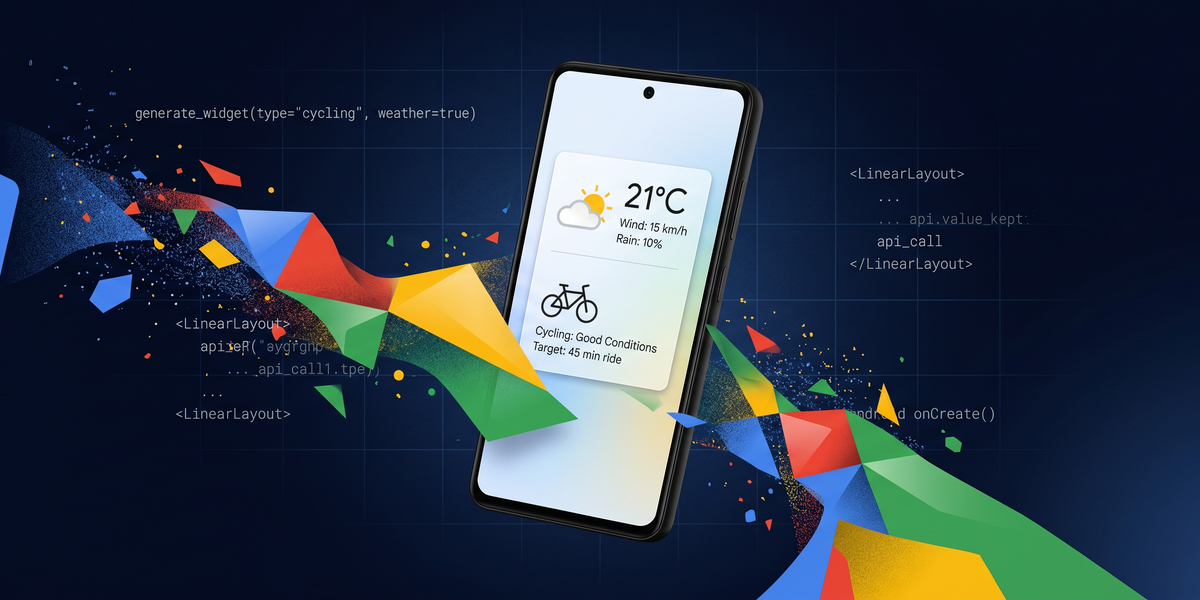
You type "show wind speed and rain for my biking commute." Gemini generates a resizable home screen widget pulling live weather data.
You type "grocery list from my last three emails" and it pulls from Gmail, Calendar, your location. Surfaces what you actually need to buy.
No code. No design tools. Just describe it.
Honestly, vibe coding already changed how I ship. Copilot in VS Code, prompts for boilerplate, iterate until something works. It produces code I have to QA heavily. The model hallucinates API calls, gets auth flows wrong. But the pattern is sound: describe what you want, get something working, fix what breaks. Create My Widget takes that pattern and drops it on your home screen. Describe what you want. Gemini builds it.
Small teams and indie devs should pay attention here. If non-technical users can build functional mobile interfaces by typing a sentence, the market for custom widget development gets squeezed. Not today. Feature drops on 2026 Galaxy and Pixel flagships this summer, then rolls to other Android devices later.
But the direction is obvious.
What Gemini Actually Sees When It Builds Your Widget
Here's the privacy section from Google's announcement. Three sentences.
It should be twenty.
To generate a widget showing your biking weather, Gemini reads your Calendar to know your commute times, crosses that with Gmail for scheduling conflicts, pulls location data for hyperlocal forecasts.
To build a "grocery list from my last three emails" widget, it reads your inbox.
That's not a minor permission request.
That's a full audit of your digital life wrapped in a convenience skin.
Google says Gemini waits for user confirmation before completing transactions. Fine. But there's a difference between confirming a $40 grocery purchase and confirming a widget that has continuous read access to your inbox, calendar, and location history. The confirmation dialog for a Gemini-generated widget doesn't carry the same weight as a native app permission screen. The widget feels lightweight.
The data access isn't.
I don't think Google is running a surveillance operation.
The feature requires genuine access to function. And most users won't audit what they approved when they tap "Allow."
Before you enable this on your own devices, open Gemini's permissions settings and restrict which Google services it can reach. You want weather data. Fine. You want it reading your sent emails? Less fine. Lock it down to what you actually need. Side note: their permission UI is buried pretty deep. Took me a few tries to find it.
Why Widget Developers Should Be Nervous Right Now
The widget developer market was already thin.
iOS widgets are pre-built by app developers — you pick what Apple and third-party devs decided to ship.
Android widgets have always been more flexible. But building one still requires XML layouts, RemoteViews, enough Android knowledge to debug widget sizing across OEM skins. That skill set isn't commodity. It's a niche. Small agencies and freelancers built that niche.
Create My Widget doesn't compete with those developers on quality.
A vibe-coded weather widget probably looks rougher than something a pro designer shipped. It competes on accessibility. When your client's marketing manager can describe and deploy her own widget without filing a ticket, the hourly rate for "build me a custom Android widget" conversations gets harder to start.
The teams that adapt will likely move up the stack — widget ecosystems, API integrations, automation workflows that vibe coding can't replace yet.
If you're in that space, the next six months are worth spending on positioning. Get clear on what you offer that a natural language prompt can't. Build that message before the feature goes wide.
The Operator Angle That Matters to You
Create My Widget isn't a small story.
It's Google deciding that every Android home screen is a generative UI surface, starting this summer on the devices your clients and colleagues actually carry.
If you run an agency, your users are going to start asking about this. "Can I just build that myself?" Probably yes, for simple cases. The widget ecosystem that served as a product differentiator for mobile apps gets thinner when the OS ships a native alternative. Worth a conversation with clients who have Android audiences.
If you build for Android, the timeline matters.
Samsung Galaxy and Pixel first. Those are the premium users, the ones most likely paying for custom work. Broader rollout later in 2026.
That window is shorter than it feels.
And if you're just evaluating what this means for your own workflow: the pattern Google is shipping is real. Describe, generate, iterate. Works in code editors. Works in widget builders. The question is whether your workflow is closer to "build my own thing" or "hire someone to build my thing." If it's the latter, this is your reminder to clarify what you're actually paying for.
---
The feature launches summer 2026 on Samsung Galaxy and Google Pixel.
Expands to other Android devices, Wear OS, and Android Auto later in 2026. Check your device's Android version before you try it. This targets the latest Galaxy and Pixel hardware. And before you enable it, audit your Gemini permissions. You probably don't need it reading everything.
Comments ()